


BAND - App for all groups
4.87.17K Reviews
App Specs
- Version
- 29.2.1
- Updated On
- License
- Free
- Downloads
- 50,000,000+
- Developer
- NAVER Corp.
- Categories
- Social
- Platform
- Android, iOS
Screenshots
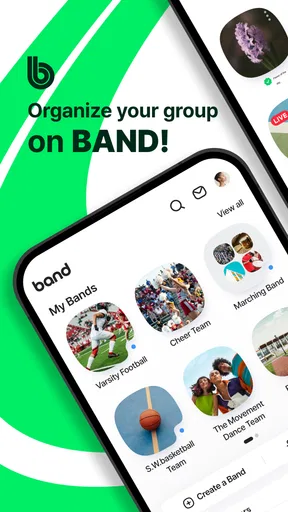
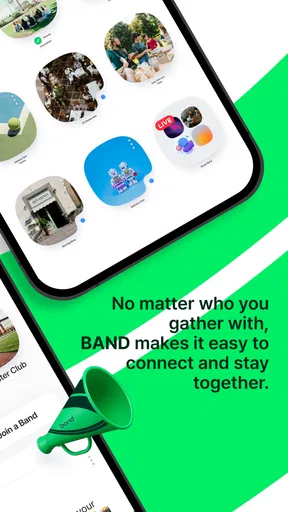
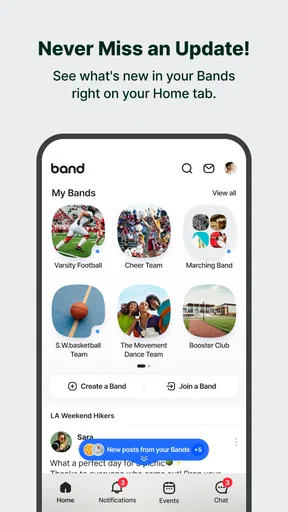
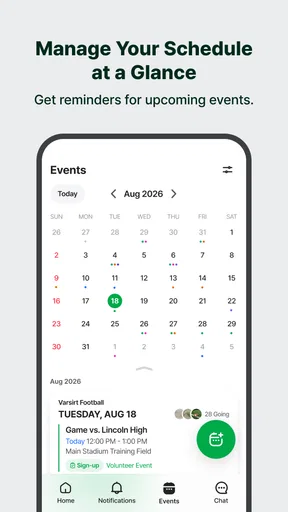

 Analysis by AppCompare
I find trust is easiest to judge when I separate what an app lets me do from what I would merely like to assume about it. BAND is a social app from NAVER Corp. built around groups rather than one-to-one conversations. That focus gives it a practical role: a team, club, class, or family can keep discussion and coordination in a shared place. The app is free to download, has a 4.8 average from around 721,000 ratings, and has been installed over 50 million times. Those figures suggest a well-used service, but popularity alone is not a privacy guarantee, so I would still make choices about membership and shared information carefully.
Start with the group, not the feature list
The most useful way to approach BAND is to decide what a group needs before filling it with posts and tools. A neighborhood committee may mainly need announcements and event planning; a sports team may need a calendar and task assignments; relatives coordinating a reunion may value a shared conversation and album. Keeping the purpose narrow makes it easier for members to understand where to look and what belongs there. It also reduces the chance that a group space gradually becomes an informal archive of details nobody meant to share widely.
When I create a group, I would think through who should be invited and which invitation route makes sense. A shareable link is convenient for gathering a large or mixed group, while direct invitations can feel more deliberate for a small circle. Either way, I would send invitations in the context of a clear explanation: what the group is for, who it is intended for, and what people should post there. That small step is more useful than expecting every member to infer the group’s boundaries after joining.
Privacy depends on everyday decisions
A group setting can feel private simply because it has a limited membership, but that is not the same as treating every post as harmless. Photos, schedules, and location-related plans may reveal more than a casual message, especially when they concern children, travel, or people who are not using the app. I would ask before sharing someone else’s picture or personal detail, and I would avoid putting sensitive information into a group just because it is convenient to keep it alongside event plans.
There is a practical difference between using a group to coordinate and using it to store sensitive records. BAND’s calendar, conversation, and shared content can help members stay organized, but I would not treat a group feed as a secure filing cabinet for private documents or confidential information. For those needs, a purpose-built service with controls suited to that material is the safer fit. The cautious habit is simple: share only what group members need to carry out the activity, and keep the audience as small as the task allows.
Make participation manageable
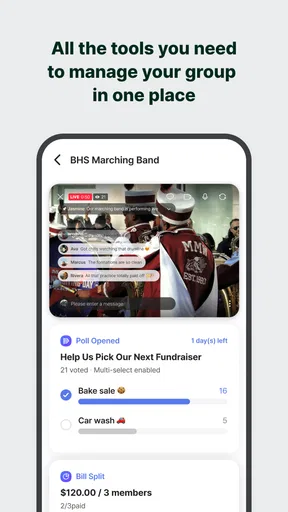
Groups can become noisy even when every message is well-intentioned. Before relying on BAND for a busy team or club, I would agree on a few lightweight norms: use announcements for information everyone needs, keep decisions in a poll when a clear choice is required, and put dates on the calendar rather than leaving them buried in chat. That structure helps members who check in only occasionally and makes it easier to find the important details later.
For a family planning a weekend gathering, for example, one person could create the group, post the date options as a poll, and add the chosen plan to the calendar. Someone else could use a to-do list for food or transport, while relatives can share relevant photos in the group. The advantage is not that every person must use every tool; it is that the group can settle on a simple routine instead of splitting decisions across separate conversations. If a relative is uncomfortable joining another social app, though, a phone call or existing family chat may be kinder and more effective.
Worth Reading Before You Choose

Baby Panda World Brings Quick Play to Modern Phones, but Its Game Library Feels Busy

ESPN’s Live Game View Makes Following Close Games Easier

QuizzLand Review: A Good Fit for Short Trivia Breaks, Not Every Player

Basketball Stars: Multiplayer Is Fast, but Can It Recover When Matches Go Wrong?

WEBTOON Turns Phone Updates Into a Better Reading Routine

Link to Windows Runs on Shared Habits, Not Social Feeds
Where BAND fits among social apps
Compared with a standard messaging app, BAND is more deliberate about group organization: calendars, polls, and to-do lists sit alongside conversation rather than leaving all planning to a stream of messages. That is valuable when a group has recurring dates, shared responsibilities, or decisions that need a visible outcome. A basic group chat is still the better choice for a handful of quick exchanges, particularly if everyone already uses it and nobody needs a separate event or task structure.
It is also different from a general social network, where people often follow broad feeds and post for a wider audience. BAND’s group-centered approach makes more sense when the members share a real activity and need a common workspace. I would choose a dedicated project-management tool instead for complex work with dependencies, formal reporting, or a need to connect many external services. BAND can help a volunteer group stay coordinated, but it should not be mistaken for a specialist system just because it includes task lists and a calendar.
On Android and iOS, the app is free, with optional in-app purchases priced from $1.68 to $53.09 per item. I would start with the free experience and only consider a purchase if I understood what it changes and the group genuinely needed it. BAND is rated for teens, so adults organizing a youth group should still use their judgment about membership, content, and the amount of personal information shared. An age label is not a substitute for sensible group boundaries.
If you are weighing whether to try it, I would ask three practical questions. Does the group need more than a chat? Will members actually open a separate app? And is there someone willing to keep dates, decisions, and tasks organized? If the answers are yes, BAND’s bundled tools can reduce scattered messages. If not, adoption may become the main obstacle, and the familiar service everyone already checks could work better.
The app has been around since August 7, 2012, and its current version is 28.0.6, but those details matter less to me than the fit with a group’s habits. My recommendation is cautious but positive: use BAND when a real group needs a shared place for conversation and lightweight coordination, and set clear expectations before posting personal material. For a casual chat, a sensitive record, or a project that needs specialist controls, I would choose another approach.
If you've ever tried to coordinate a group of people, you know it can be like herding cats. Whether it's organizing a sports team, planning a family reunion, or managing a book club, getting everyone on the same page is tough. Enter the BAND app, a nifty tool designed to make group management a breeze. I recently gave it a whirl, and here's my take on it.
Getting Started
First things first, downloading and setting up the BAND app is straightforward. Available on both Android and iOS, it takes just a few taps to get started. Once it's on your device, the app walks you through the setup process with a friendly, intuitive interface. I appreciated the way it doesn't bombard you with too much information at once; instead, it’s like a helpful friend guiding you step by step.
After setting up, you can create your own "band"—essentially, your group. This could be anything from a soccer team to a study group. Inviting members is a breeze, with options to send invites via email, text, or even a shareable link. I found this particularly helpful when trying to gather my somewhat technologically-challenged family members into one group.
Features to Love
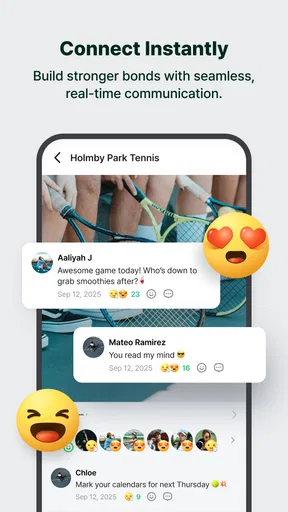
Now, onto the features. What makes BAND stand out is its rich suite of tools tailored for group communication. You have your typical chat feature, but it's the extras that really shine.
- Calendar: This is a lifesaver for planning events. You can schedule everything from casual meet-ups to full-blown events, complete with RSVP options. I used it to plan a weekend getaway, and it was seamless.
- Polls: Ever tried to decide on a dinner location with a group? The poll feature makes it easy to gather opinions and make decisions democratically. We used it to pick our next book club read.
- To-Do Lists: Assign tasks and keep everyone accountable. This feature is perfect for project management or even just divvying up chores for a group trip. I found it helpful for organizing our annual charity bake sale.
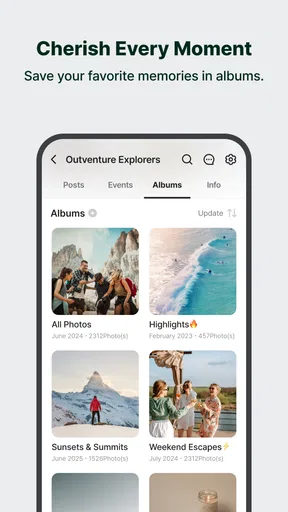
Beyond these, there are options for album sharing, live streaming, and even a group board for announcements. It’s like a Swiss Army knife for group management!
Performance and Usability
Performance-wise, the app runs smoothly on both platforms. I didn’t encounter any lag or crashes, which is a big win. The interface is clean and user-friendly. Even those who aren’t tech-savvy should find it easy to navigate.
One thing I really appreciated is the app’s focus on privacy. You can control who sees what within your group, ensuring that sensitive information doesn’t fall into the wrong hands. In today’s digital age, that’s a feature not to be overlooked.
Room for Improvement
While BAND is packed with features, there are a couple of areas that could be enhanced. For one, integrating more third-party apps would be beneficial. I often found myself wishing I could sync it with my Google Calendar or other productivity tools.
Additionally, while customization options are available, I’d love to see more in terms of theme personalization. After all, who doesn’t like a bit of flair to match their group’s vibe?
Final Thoughts
All in all, the BAND app is a solid choice for anyone looking to streamline group management. It’s packed with features that cater to a variety of needs, from simple communications to complex event planning. Whether you’re a coach, a team leader, or just someone trying to keep their family organized, this app is worth checking out.
With its user-friendly interface and robust functionality, it feels like having a personal assistant in your pocket. So, if you’re tired of juggling multiple apps and platforms, give BAND a try. It might just be the solution you’ve been searching for.
Pros
- Easy group management features.
- Customizable notification settings.
- Integrated calendar for events.
- User-friendly interface design.
- Supports multimedia sharing.
Cons
- Limited integration with other apps.
- Some features require in-app purchases.
- Ads can be intrusive at times.
- Occasional connectivity issues.
- No desktop version available.
FAQs for BAND - App for all groups
What is BAND and how does it work?
BAND is a versatile communication app designed to facilitate group collaboration and organization. It offers features like group chats, calendars, polls, and file sharing, making it ideal for teams, clubs, and families. Users can create or join groups, customize settings, and manage events seamlessly, ensuring everyone stays connected and informed.
Is BAND free to use, and are there any in-app purchases?
BAND is free to download and use, providing a comprehensive suite of features at no cost. However, it does offer optional in-app purchases and premium features that enhance the user experience, such as additional storage or customization options. These are not mandatory and the core features remain accessible to all users.
How secure is my data on BAND?
BAND prioritizes user privacy and data security. It employs robust encryption protocols to protect personal information and communications. Users have control over their privacy settings and can choose who can view their content. Regular updates ensure that security measures are up to date, providing a safe environment for all members.
Can BAND be used for professional purposes?
Yes, BAND is suitable for both personal and professional use. It offers tools that support team collaboration, such as project management, task assignments, and group communication. Businesses and organizations can benefit from its organizational features, allowing for efficient coordination and communication within teams.
What platforms is BAND available on, and can I use it across multiple devices?
BAND is available on both Android and iOS platforms, and it also offers a web version for desktop use. Users can seamlessly switch between devices, ensuring that they have access to their groups and information wherever they are. Synchronization across devices is smooth, making it convenient for users to stay connected.


